vesslctl: Manage VESSL Cloud from Your Terminal

Why manage GPU instances only through a web browser?
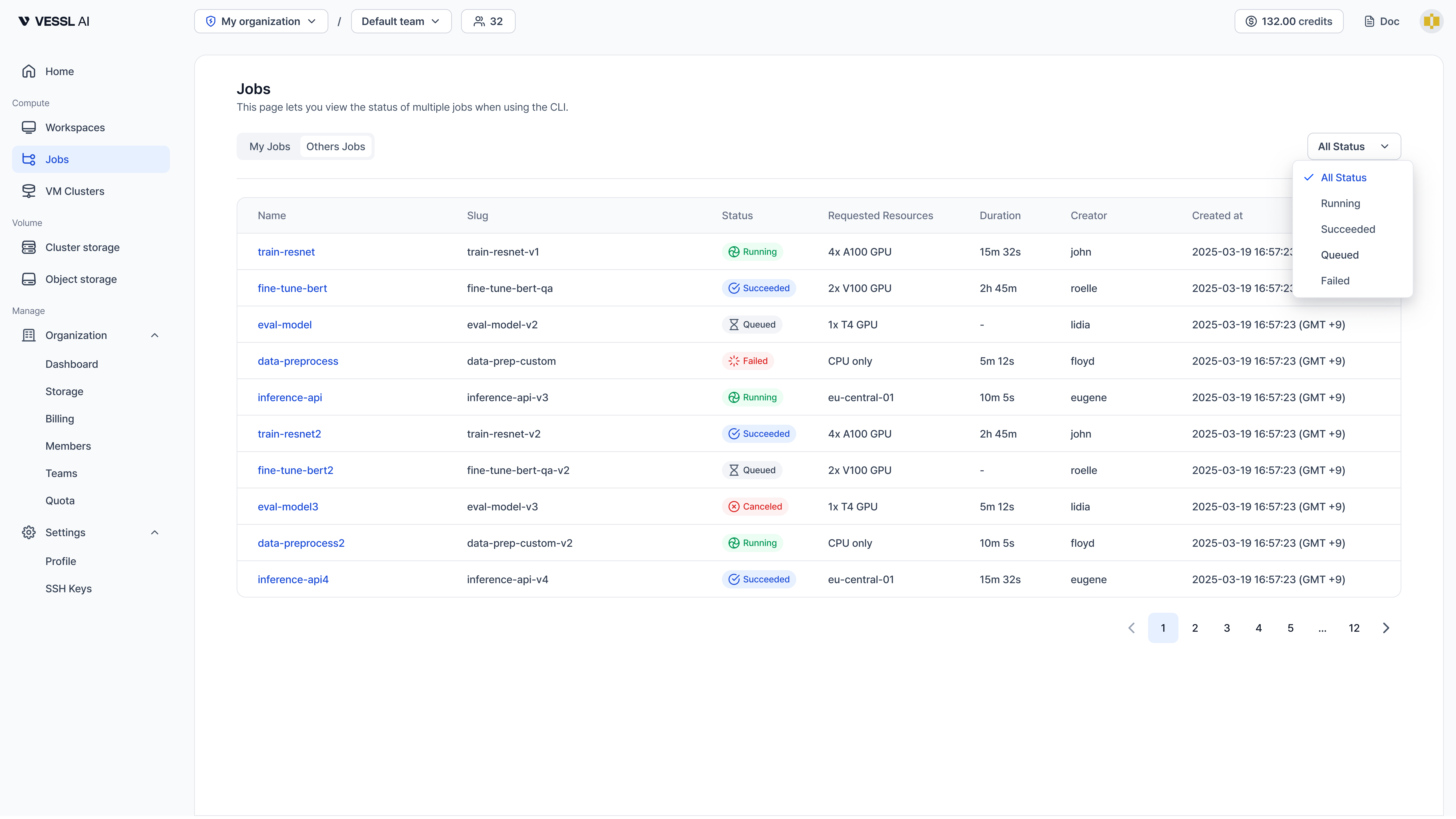
Creating a workspace means opening a browser, logging into the dashboard, clicking through settings... It works, but it's slow.
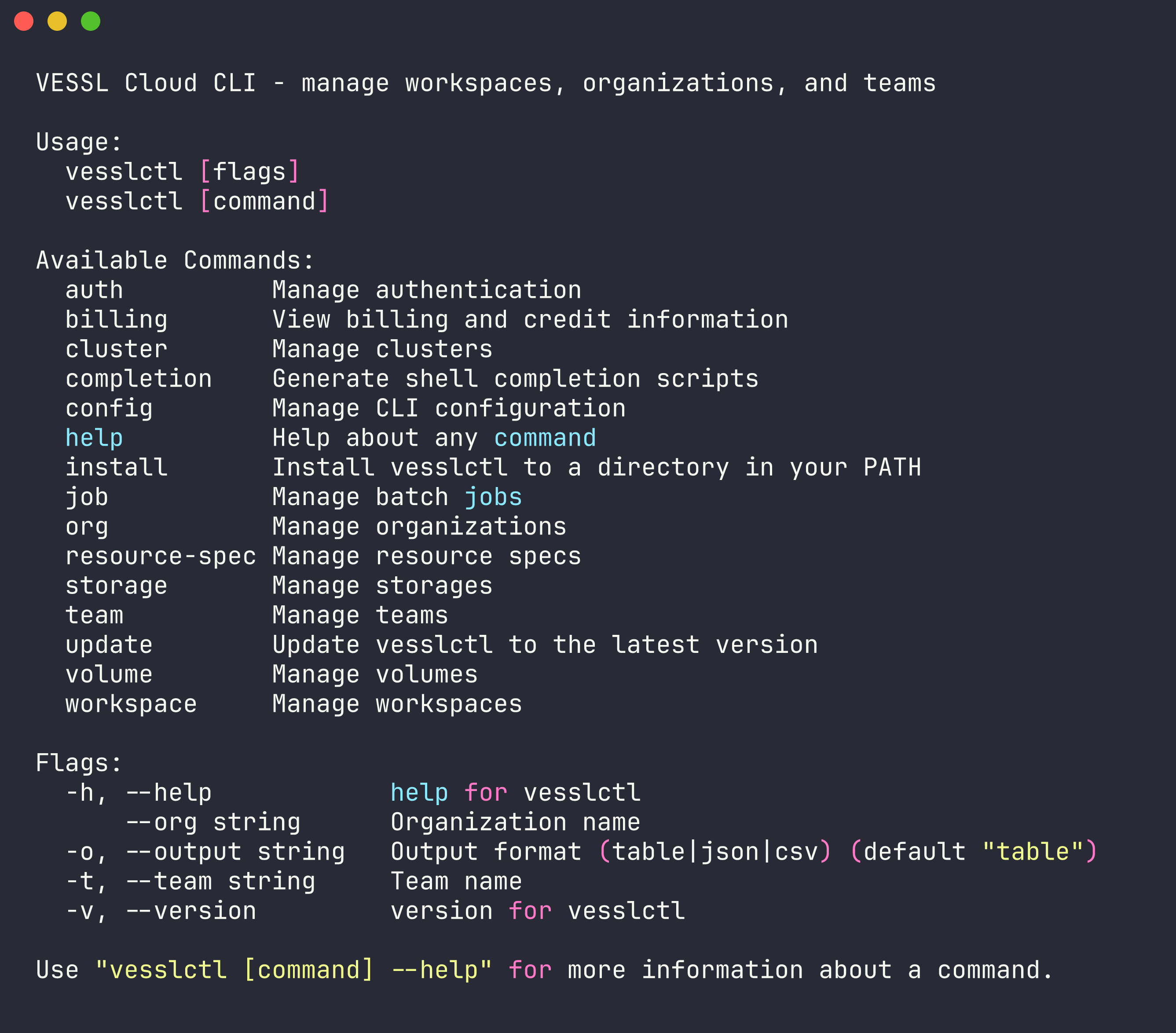
vesslctl is the official CLI for VESSL Cloud. Create workspaces, run batch jobs, upload data — all from your terminal. And one more thing: you can plug AI coding tools straight into an MCP server that serves the CLI docs.
30-second setup
# Install
curl -fsSL https://api.cloud.vessl.ai/cli/install.sh | bash

# Log in (browser OAuth)
vesslctl auth login

# Verify auth status
vesslctl auth status
That's it.
Check your credits
After logging in, runvesslctl billing showto check your organization's credit balance. If it's at zero,workspace createandjob createare blocked before they run. You can top up from the VESSL Cloud first.
Core workflows
Workspace management
# Create a workspace — PyTorch image
vesslctl workspace create \
  --cluster <cluster-name> \
  --resource-spec <spec-name> \
  --image "pytorch/pytorch:2.3.0-cuda12.1-cudnn8-devel" \
  --name "my-workspace"

# Check status
vesslctl workspace show my-workspace

# SSH in
vesslctl workspace ssh my-workspace

# Pause (stops billing, preserves data)
vesslctl workspace pause my-workspace

# Resume
vesslctl workspace start my-workspaceUsevesslctl cluster listto see available clusters andvesslctl resource-spec listfor resource specs.
Data upload
# Create an Object storage volume
vesslctl volume create \
  --name my-dataset \
  --storage <storage-name> \
  --teams <team>

# Get S3 credentials
vesslctl volume token my-dataset

# Upload data with AWS CLI
aws s3 cp ./data s3://my-dataset/ --recursive --endpoint-url <endpoint>

# Verify upload
vesslctl volume ls my-dataset
Use vesslctl storage list to see available storage options.Batch job execution
# Create a job
vesslctl job create \
  --name my-training \
  --resource-spec <spec-name> \
  --image "pytorch/pytorch:2.3.0-cuda12.1-cudnn8-devel" \
  --cmd "python train.py --epochs 100"

# Follow logs in real time
vesslctl job logs <job-id> --follow
For an end-to-end walkthrough — a real Gemma 4 fine-tuning run across five jobs for $1.72 total — see the post below.
AI tools integration (MCP)
VESSL Cloud documentation is served as an MCP server, so AI coding assistants can reference accurate vesslctl documentation in real time.
MCP (Model Context Protocol) lets AI coding tools manage your GPU infrastructure using natural language — no need to memorize CLI flags.
MCP server URL
https://docs.cloud.vessl.ai/mcpSetup
Claude Code
claude mcp add --transport http vessl https://docs.cloud.vessl.ai/mcpCursor
Go to Settings > MCP Servers and add the URL:
https://docs.cloud.vessl.ai/mcpWindsurf, VS Code (Copilot)
Add the following to your MCP configuration file:
{
  "mcpServers": {
    "vessl": {
      "type": "http",
      "url": "https://docs.cloud.vessl.ai/mcp"
    }
  }
}
What this looks like in practice
Ask your AI coding tool in plain language, and it generates the right vesslctl commands.
| Prompt example | Generated action |
|---|---|
| "Create a workspace with an A100" | generates the exact vesslctl workspace create command |
| "Show me the logs for my running job" | generates the exact vesslctl job logs --follow command |
| "List my workspaces" | runs vesslctl workspace list |
| "Pause the workspace I'm done with" | runs vesslctl workspace pause <name> |
| "Submit a training job on H100" | generates the exact vesslctl job create command |
When you need a GPU while writing code, you can provision infrastructure without leaving your editor.
Install the Claude skill
If you use Claude Code, install the bundled Claude skill that ships with vesslctl. Once installed, Claude Code learns vesslctl command usage, safety rules, and argument formats — so it suggests more accurate commands.
vesslctl skill install --target claude-codeAfter install, ask "Create an A100 workspace on VESSL Cloud" in natural language and Claude runs the right command. Combined with the MCP server, you get richer context.
Command overview
| Area | Command | Description |
|---|---|---|
| Auth | vesslctl auth login | Log in (browser OAuth) |
vesslctl auth logout | Log out | |
vesslctl auth status | Check auth status | |
| Workspace | vesslctl workspace create | Create a workspace |
vesslctl workspace list | List workspaces | |
vesslctl workspace show | Show workspace details | |
vesslctl workspace ssh | SSH into a workspace | |
vesslctl workspace pause | Pause (stops billing, preserves data) | |
vesslctl workspace start | Resume | |
vesslctl workspace terminate | Terminate | |
| Job | vesslctl job create | Create a batch job |
vesslctl job list | List jobs | |
vesslctl job show | Show job details | |
vesslctl job logs | View logs (--follow for real-time streaming) | |
| Storage | vesslctl volume create | Create a volume |
vesslctl volume list | List volumes | |
vesslctl volume ls | List files in a volume | |
vesslctl volume token | Get S3-compatible access token | |
| Org/Team | vesslctl org list | List organizations |
vesslctl org switch | Switch default organization | |
vesslctl team list | List teams | |
vesslctl team switch | Switch default team | |
| Config | vesslctl config show | Show CLI config |
vesslctl config set | Update CLI config | |
| Billing | vesslctl billing show | Check credit balance and burn rate |
| Utility | vesslctl completion install | Install shell autocompletion |
vesslctl update | Update CLI to latest version |
FAQ
Can I use the CLI instead of the web console?
Which AI tools support MCP?
Can my team use this together?
References
- vesslctl CLI Documentation
- MCP Server Setup Guide
- GPU Pricing — A100 SXM $1.55/hr, H100 SXM $2.39/hr, L40S $1.80/hr
Keep reading

VESSL AI
Subscribe to our newsletter
Monthly insights on building AI infrastructure, the latest GPU news, and more.